Copy Your TeraBox Video Link
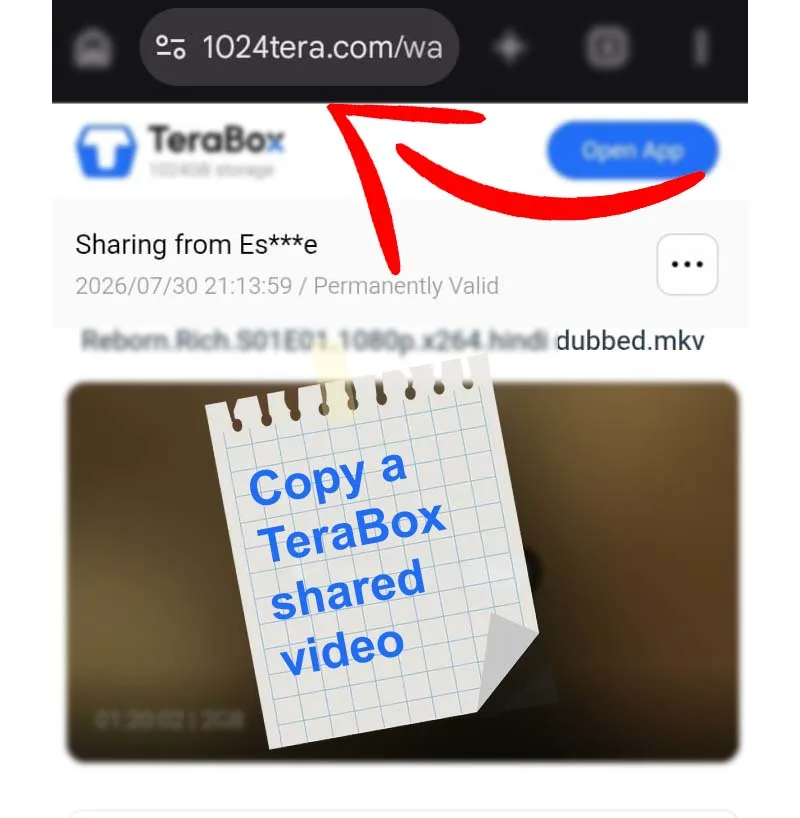
Open the shared TeraBox video and copy its share URL. Check that the link is complete and the file owner has allowed access.
Watch TeraBox videos online with the 1024TeraBoxDL TeraBox Online Player. Paste an eligible shared video link below to open a supported stream in your browser. Use the video controls for playback, fullscreen viewing, and Picture-in-Picture when available.
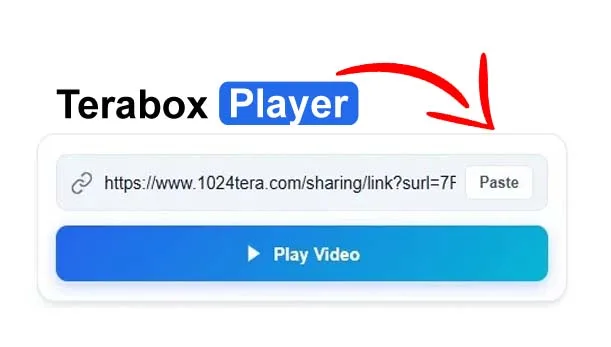
Paste a TeraBox video share link into the box above and click “Play Video” to start watching a supported stream in your browser.
Use the TeraBox Online Player on 1024TeraBoxDL in three simple steps. You can watch a supported shared video in your browser when the link is accessible and the stream is compatible.
Open the shared TeraBox video and copy its share URL. Check that the link is complete and the file owner has allowed access.
Return to this TeraBox Online Player page, paste the copied URL into the link field above, and select Play Video.
When a compatible stream is available, use the video player's controls to play, pause, seek, adjust volume, or enter fullscreen. Playback options depend on your browser and device.

Tip: If playback does not start, check whether the share link is still active, confirm file access permissions, and try again. Not every TeraBox link or video format is supported.
The TeraBox Online Player on 1024TeraBoxDL is designed to help you watch eligible shared TeraBox videos in a web browser. Instead of downloading a video first, paste its share link into the player and submit it. If the link is accessible and the video stream is compatible with your browser, playback can start on your device. No separate player app or browser extension is required for supported streams.
This online TeraBox video player works with the browser's built-in media playback capabilities. Actual playback depends on the shared link, access permissions, source availability, network connection, and video format.
Video compatibility depends on the stream's container and codec, not just its file extension. Modern versions of Chrome, Edge, Firefox, and Safari support common web video formats such as MP4 with H.264/AAC and WebM with supported codecs. Some formats, including certain MKV files or videos using uncommon codecs, may not play directly in a browser. If playback fails, try another supported source format or use a compatible media player after downloading a file you are authorized to access.
The TeraBox Online Player lets you submit an eligible shared TeraBox video link and play a browser-compatible stream when the link resolves successfully.
Yes, when the shared link resolves to a browser-compatible video stream, you can watch it online without first saving the video to your device.
The 1024TeraBoxDL player is available to use in your browser. Link access and playback still depend on the source file and service availability.
The link may be expired, private, unavailable, or incompatible with your browser. Check the link and network connection, then try again.
Want to learn more about playback optimization? Read our comprehensive TeraBox Video Player Guide or learn about the difference in TeraBox Downloader vs Online Video Player.