Copy Your TeraBox Share Link
Open the TeraBox shared file or video you want to access and copy its public share URL. Make sure the link is complete and the shared file is still available.
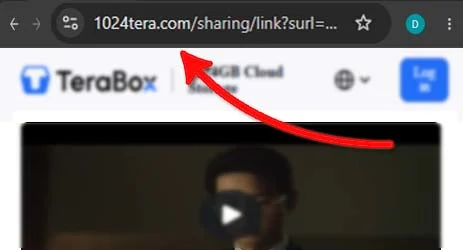
Easily resolve shared TeraBox cloud links directly from your browser. Enjoy fast file processing, clean previews, and seamless mobile access without mandatory desktop software installations.
Open the TeraBox shared file or video you want to access and copy its public share URL. Make sure the link is complete and the shared file is still available.
Visit 1024TeraBoxDL.com and paste your copied TeraBox link into the downloader input box. Click Download to let the service check the link and retrieve available file information.
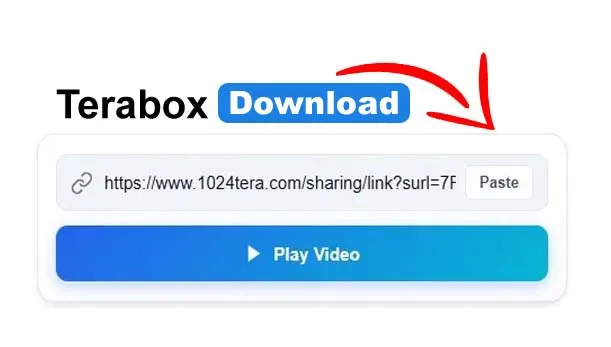
When the shared file has been resolved successfully, choose the available download option or open a supported video in the online player. Enjoy convenient access on your computer, Android phone, or tablet.
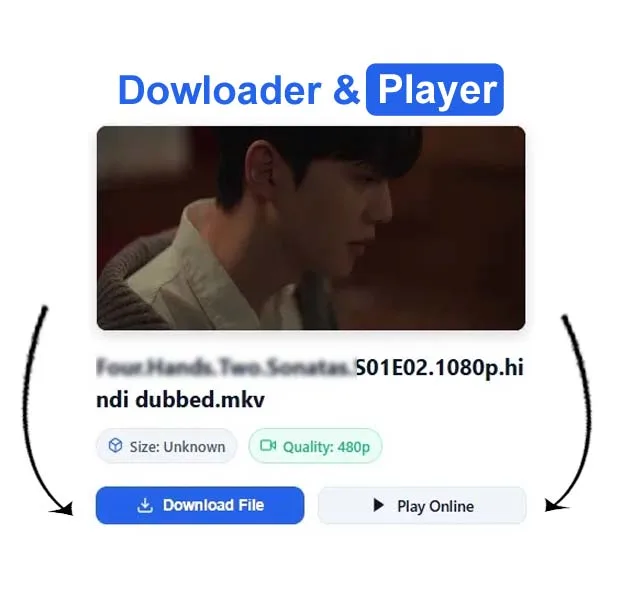
1024TeraBoxDL helps you access eligible shared TeraBox files through your browser. Link compatibility depends on the domain, file permissions, link status, and availability of the link-resolution service.
Note: Listed domains are not a guarantee that every link will work. Availability depends on the source service, shared-link permissions, and backend compatibility.
Experience an original, lightweight SaaS interface engineered for performance and privacy.
Quickly resolve public TeraBox links in your browser without needing to register personal credentials.
Preview videos in full HD with custom controls, timeline seeking, playback rate, and Picture-in-Picture.
Fully responsive touch-friendly layout tailored for smooth navigation on iOS, Android, and tablets.
Built with minimal JavaScript and modern CSS for lightning-quick loading times and responsive interactions.
Toggle smoothly between dark and light themes with automatic system preference detection and zero flicker.
Operates cleanly on Chrome, Firefox, Safari, and Edge. No extensions or external software packages necessary.
See how 1024TeraBoxDL compares with other web tools and the official app in speed, security, and convenience.
| Feature / Capability | 1024TeraBoxDL Recommended | Other Web Tools | Official TeraBox App |
|---|---|---|---|
| Download Speed Bandwidth throughput & transfer rate | Direct CDN (Maximum Speed) | Often Throttled / Slow Queues | Capped for Free Accounts |
| Account / Login Required Need to sign up or authenticate | No (100% Free Without Login) | Frequently Asks for Sign-up | Mandatory Account Required |
| Ads & Pop-ups Cleanliness of the browsing experience | Clean & Minimal (No Pop-unders) | Heavy Pop-ups & Redirects | In-app Video Ads & Banners |
| File Size Limit Maximum file size processed | Up to 4GB Supported | Often Restricted (250MB–500MB) | 4GB Free / 20GB Premium |
| Works on Mobile iOS, Android, and mobile web browsers | Full Support (Any Browser) | Poor Mobile UI / Broken Layouts | Requires App Installation |
| Privacy & Data Security Tracking, storage, and personal data | No Files Stored / 100% Private | Logs User IPs & Activity | Collects Device Analytics |
| HD Video Streaming Direct playback without downloading | Instant HTML5 Player Included | Not Available (Download Only) | Requires App & Login |
| Cost Pricing model and subscriptions | 100% Free Forever | Freemium / Hidden Paywalls | Free Tier + Paid VIP Subscriptions |
TeraBox is a widely recognized cloud storage and file management service that provides users with generous cloud capacity to store, organize, and share digital assets. Users commonly store multimedia files, high-resolution videos, large software packages, PDF documents, and photo collections. When a user chooses to distribute a file, the platform generates a unique public sharing URL—often formatted through domains such as terabox.com/s/... or 1024tera.com/s/....
Receiving a shared link is convenient, but downloading or viewing that content directly on mobile devices or secondary computers can present obstacles. Many cloud providers encourage or mandate native client applications or account registrations before granting access to the underlying media.
1024TeraBoxDL acts as an independent, web-based utility designed to streamline the handling of public share URLs. Our web application provides a clean interface where visitors can validate legitimate share links, review basic metadata (such as estimated file size and media container type), and decide whether to initiate a direct download or stream the content directly in the browser via our TeraBox Video Player.
To maintain realistic expectations and uphold digital ethics, users should be aware of standard technical limitations:
Everything you need to know about using our online TeraBox downloader and player.
Simply copy your public TeraBox share link, paste it into the downloader input field above, and click Download. The system checks the link and presents direct download and streaming options.
No. 1024TeraBoxDL is 100% browser-based. It runs inside standard modern browsers across desktop and mobile devices without requiring extra downloads or browser extensions.
Yes. You can visit our dedicated TeraBox Player page to stream supported MP4 and video content directly in your web browser with custom playback controls.
Links may fail if the sharing link was expired by the file uploader, if the file was deleted from cloud storage, if the URL was mistyped, or if access requires an authentication password.
No. 1024TeraBoxDL does not host, store, or archive any third-party user files on its servers. We only provide the link resolution and preview interface. For more details, consult our Privacy Policy.
Authentic ratings and feedback from genuine users of 1024 TeraBox Downloader.
Really easy to use. The downloader worked smoothly and the interface is clean. 👍
Honestly, 1024TeraBoxDL.com is a bit of a mixed bag. On the plus side, it gets the job done when you are in a rush and just want to grab a shared file or watch a video without downloading the bloated official TeraBox app or making an account. The page loads fast and has a clean look.
Really impressed with this website! 🚀 The interface is clean, simple, and very easy to use. I tried the TeraBox downloader and the whole process was smooth and straightforward. 🔗📥
I especially liked that there’s no need to install any extra software or app. The video player is also a nice addition, and the website works well on mobile too. 📱🎥
Overall, a fast, convenient, and user-friendly experience. Highly recommended! 👍✨
Practical tips, troubleshooting walkthroughs, and step-by-step mobile and desktop guides.
Understand the cloud storage architecture, 1024 GB capacity, link sharing mechanisms, and practical safety tips.
Read Guide →A step-by-step tutorial on retrieving shared documents and archives in your browser without mandatory apps.
Read Guide →Learn how browser-based media streaming functions, compatible codecs, and how to stream videos directly.
Read Guide →Enjoy fast, browser-based file downloads and video streaming with zero installation overhead.
Get Started Now